One bot for your Discord. And the game server behind it.
Moderation, tickets, reaction roles and logging, with a dashboard your staff will actually use. Run a game server too? Ruby manages that from the same place: Path of Titans is supported today.
From $5 per month · Cancel anytime · No card needed to add the bot
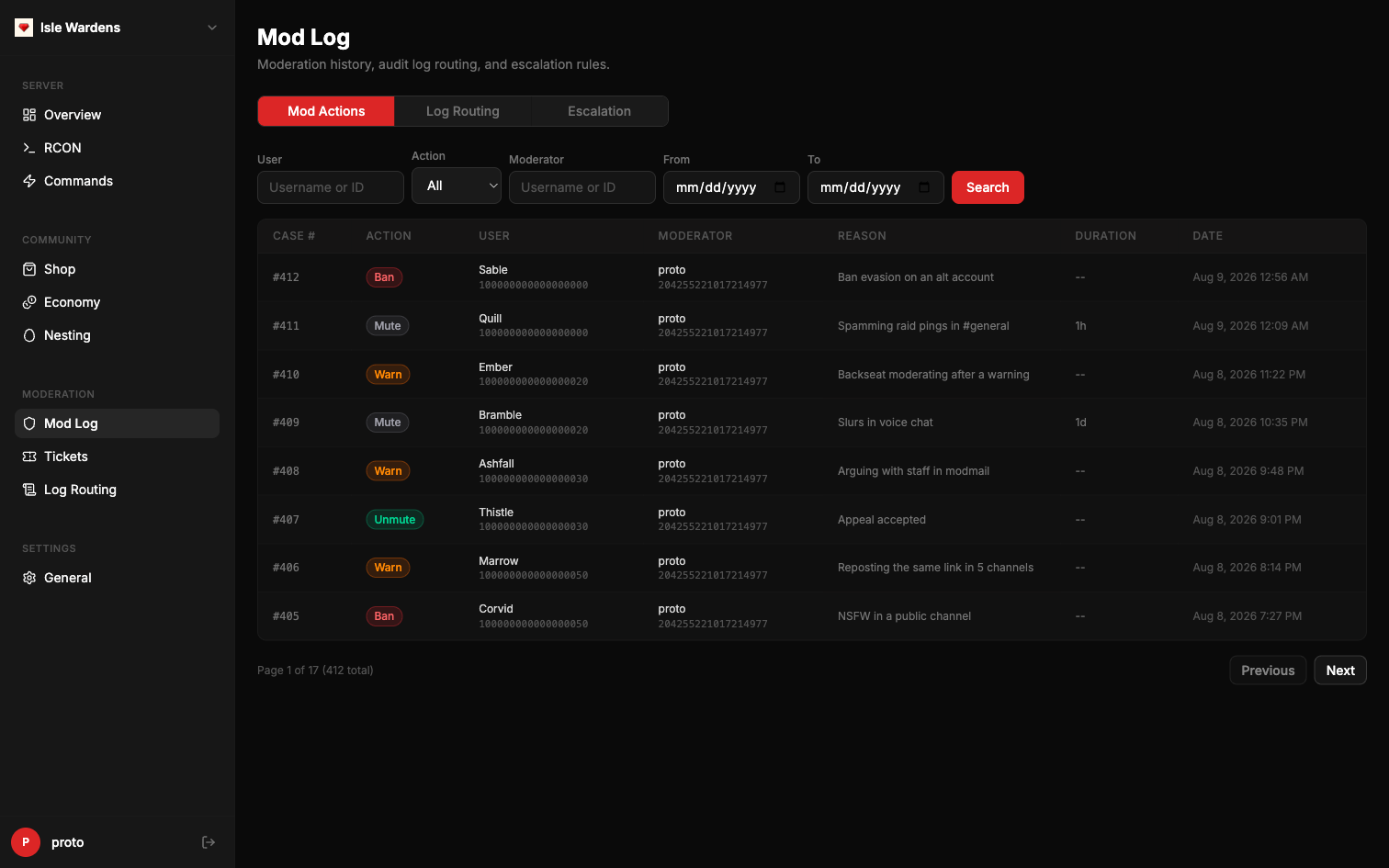
One incident, start to finish
Most bots hand you a pile of commands and leave you to it. Here's what a report actually looks like when the ticket, the evidence and the record all live in the same bot.
A player opens a report ticket
They hit the button on your ticket panel. Ruby opens a private thread with your moderators and logs who said what.
The evidence is already logged
Edits, deletions, joins and role changes stream into the log channels you choose, so the context is sitting there rather than needing someone to have screenshotted it.
A moderator acts
/warn, /mute or /discordban. If repeat warnings should escalate on their own, you set that once and stop arguing about it.
It gets a case number
Who did what, to whom, why and when, searchable in the dashboard, so the next moderator handling this person isn't starting from zero.
Running a game server? One step further
The same conversation ends with /ban 418-772-905: that's the game server itself, over RCON, without opening an admin panel.
Everything a Discord needs
The everyday bot work, done properly and in one place, whether or not you ever touch the game server side.
Moderation with memory
Warns, mutes, kicks and bans with full case history. Every action is logged and searchable, so a handover between staff doesn't lose the context of why someone was actioned six weeks ago.
Tickets with a paper trail
Support panels with categories and claiming, plus an HTML transcript saved the moment a ticket closes. Staff roles are set per category, so the right team sees the right requests.
Also included
- Reaction roles: self-assignable roles from panels you build in the dashboard, with no command syntax to memorise.
- Logging: edits, deletions, joins and leaves, routed to whichever channels you choose, per event type.
- Scheduler: recurring announcements on a cron schedule, so the rules reminder posts itself without anyone remembering.
89 commands across 9 modules, all included. Live within about two minutes of inviting the bot, from $5 a month.
If you run a game server, it's in here too
Ruby talks to your server over RCON, so Discord stops being a separate world from the game your players are actually in. Path of Titans is the game we support today; the rest of Ruby works the same whether you use this or not.
- RCON administration: kick, ban, teleport, heal and run raw commands from Discord, across multiple servers.
- Live event feeds: kills, joins, chat, reports and server events pushed into the channels you pick.
- Economy and shop: marks balances, a purchasable item shop, gifting, transfers and leaderboards.
- Nesting: organised nesting sessions with signups, growth handling and auto-babify.
Not a game server? Run /modules preset community and the game features disappear. You keep moderation, tickets, roles and logging.
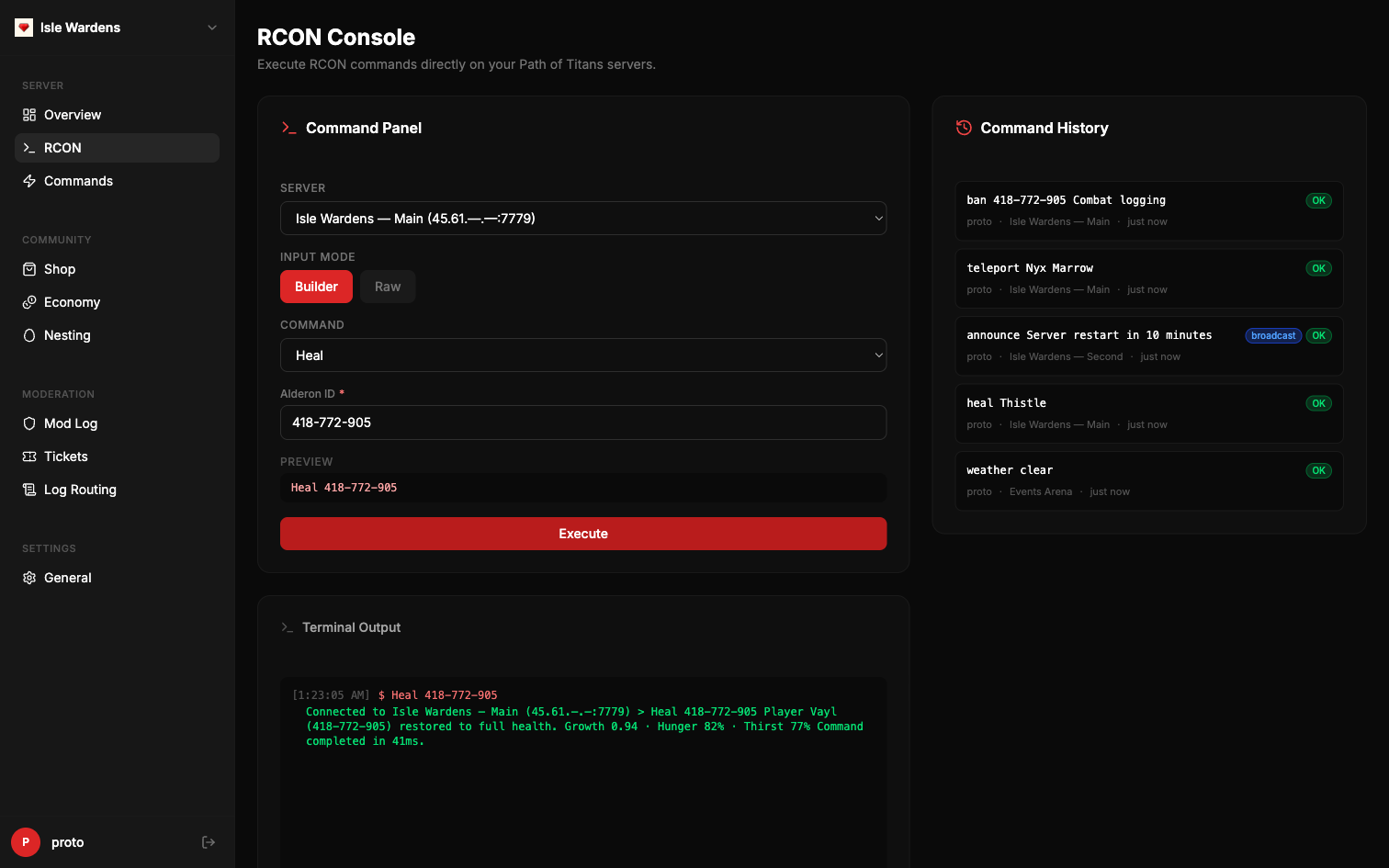
The RCON console: build a command or write it raw, with the server's reply and a full history. Sample data.
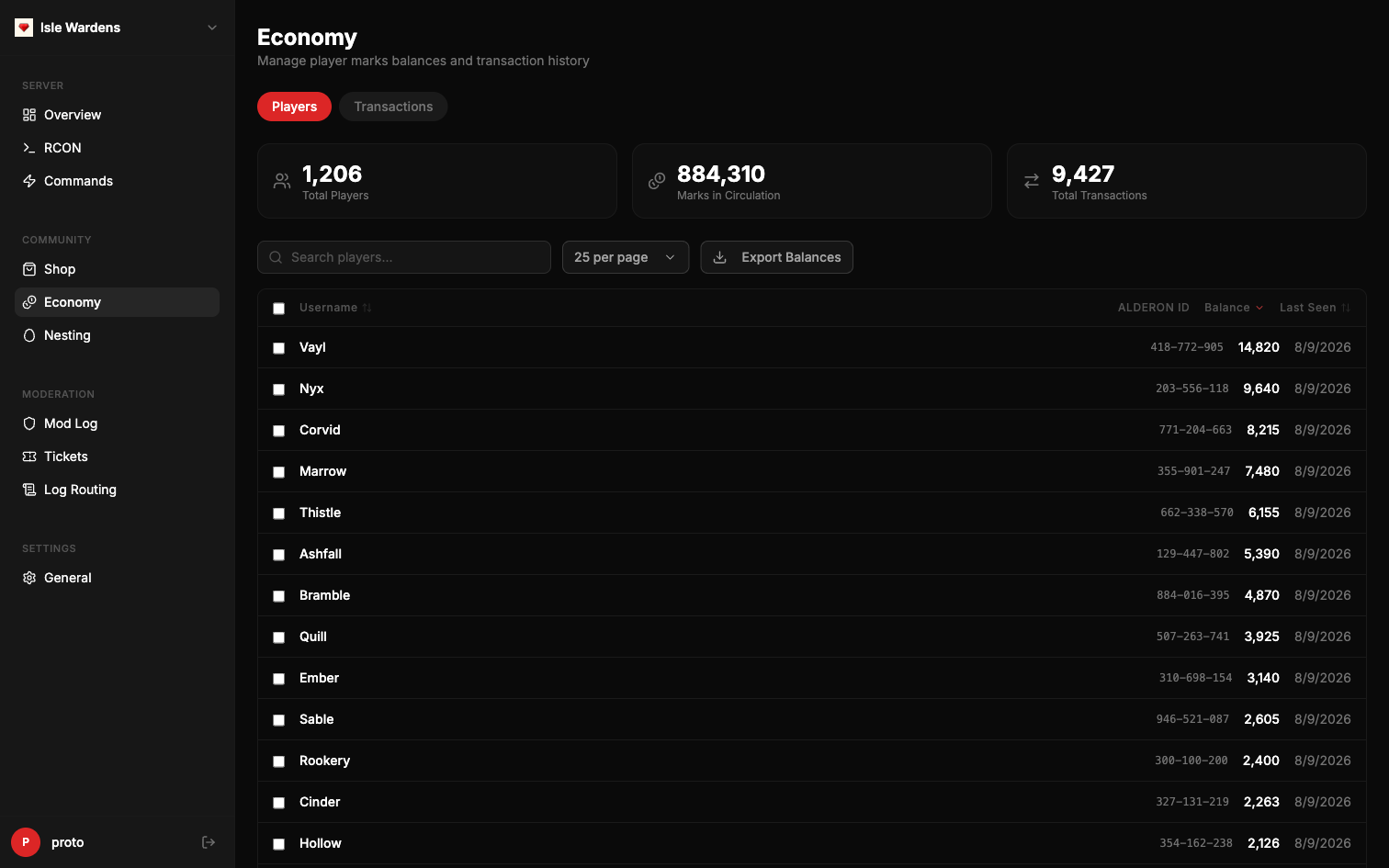
Player marks, balances and transaction history: the economy page, with sample data.
What Ruby replaces
Most Discord communities end up running a stack like the one on the left. Every one is a separate setup, a separate dashboard and a separate thing to fix at 2am.
Typically
- A moderation bot
- A ticket bot
- A reaction-role bot
- A logging bot
- A scheduler for recurring announcements
- A game admin panel in another tab
- A spreadsheet for player balances
With Ruby
- Ruby
One permission set to audit, one dashboard for your staff, one thing to blame. From $5 a month.
Live in about two minutes
No config files, no self-hosting, no API keys to generate.
Add the bot
Authorise Ruby on your server with the button above. Nothing is charged and nothing is enabled yet.
Run /subscribe
Ruby hands you a checkout link tied to your server.
There's no licence key to copy or store anywhere.
You're running
Checkout activates your server instantly, commands appear, and /dashboard opens your control panel.
Who's behind it
Ruby is built and run by Studio 86. It's a small operation, which is the honest reason support goes straight to the people who wrote the code rather than through a helpdesk.
Three plans, no surprises
Essentials is the Discord bot. Complete adds your game servers. Max adds us. Monthly, 6-month and yearly billing are all available at checkout.
Essentials
per Discord server · 6-month and yearly billing available
- Moderation, warns, mutes and mod history
- Tickets, reaction roles and logging
- Scheduled announcements
- Web dashboard with role-based access
- Cancel anytime, straight from Discord
Complete
per Discord server · 6-month and yearly billing available
- Everything in Essentials
- RCON console and Discord commands
- Live event feeds from your server
- Economy, shop and nesting
- New features as they ship
Max
per Discord server · 6-month and yearly billing available
- Everything in Complete
- Priority response on support requests
- Custom feature requests
- Help with setup and migration
- Reach us at [email protected]
Choose your plan with /subscribe after adding the bot.